The NAP Audit: How to Find Every Inconsistent Listing in 30 Minutes
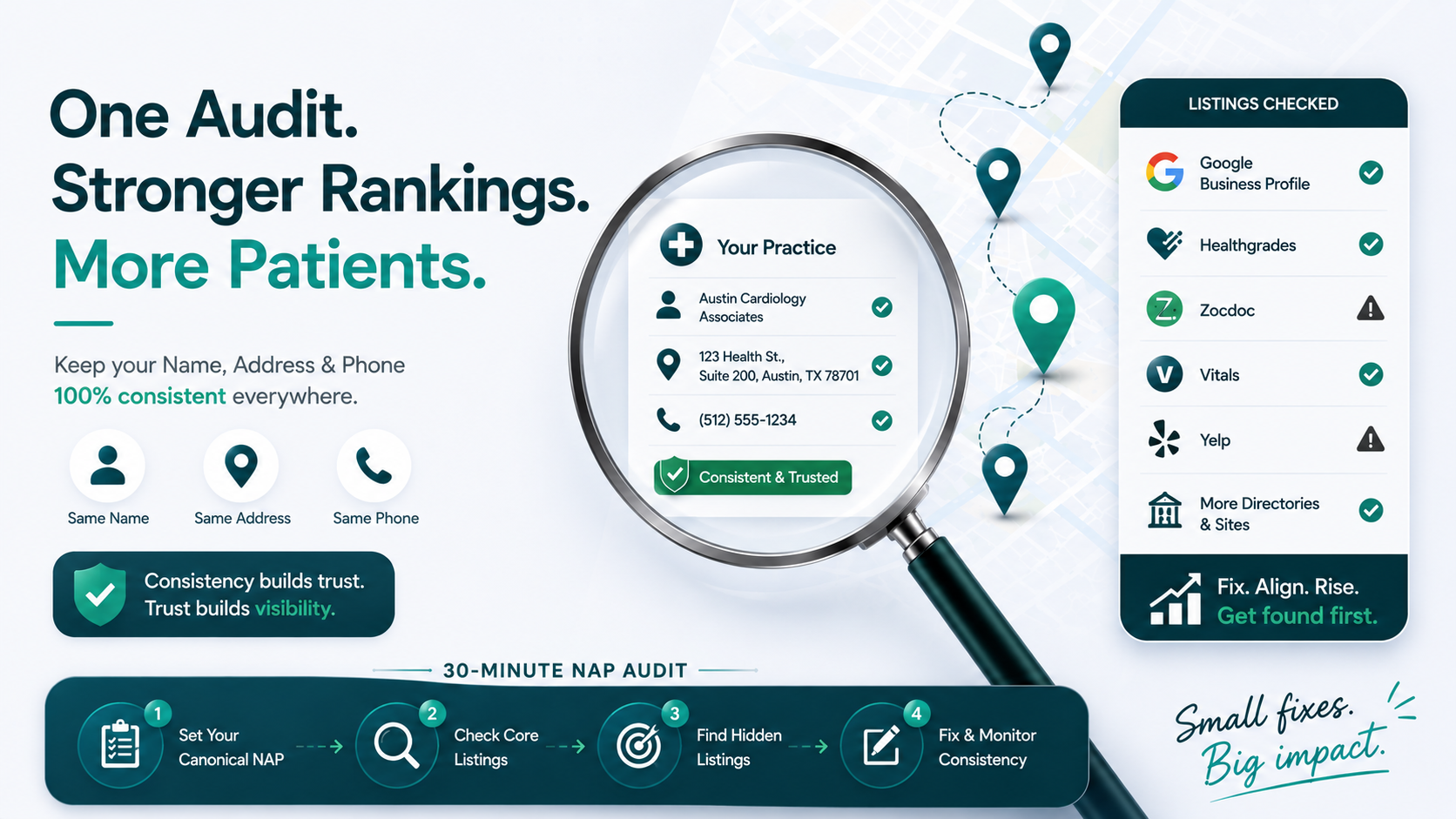
NAP consistency, keeping your name, address, and phone number identical everywhere they appear online, is the cheapest local SEO fix a doctor can make, and a 30-minute audit will find the conflicts costing you visibility. When these details match across Google, Healthgrades, Zocdoc, Vitals, and your own website, Google trusts your practice as one confident record; when they conflict, an old suite number here or a different phone there, that trust drops and your ranking drops with it. Google ranks local results on relevance, distance, and prominence, and consistency feeds prominence directly. This guide is the audit itself: how to pick a canonical format, where to look, what counts as a mismatch, and how to fix it.
Unlike most ranking work, this one has no downside and no cost. You are not adding anything; you are making what already exists agree with itself.
What NAP is and why machines are strict about it
NAP stands for name, address, phone, the core identity details of your practice. A "citation" is any place those details appear on a third-party site, a directory, a review platform, a medical listing. Google cross-checks your citations to confirm you are a real, stable business. The problem is that machines read literally. "Suite 200" and "Ste. 200," "Avenue" and "Ave," a landline on one site and a cell on another, a maiden name on an older profile, all read as different businesses, not the same one with small variations. Enough of those and Google is less sure which record is correct, so it trusts you less and ranks you lower.
Reviews and profile completeness get most of the attention, but citation consistency is the quiet foundation under them. It is also the one most practices have never checked.
Step 1: Set your canonical NAP (5 minutes)
Before you look at anything, decide the one correct version of your details. This is your reference for the whole audit.
- Name: your real practice name, exactly, with no added specialty or location keywords. "Austin Cardiology Associates," not "Austin Cardiology Associates | Best Heart Doctor."
- Address: one exact format, down to the abbreviation. Decide "Suite 200" versus "Ste. 200," "Avenue" versus "Ave," and whether the suite is on its own line. Match what is on your Google Business Profile.
- Phone: one primary number, formatted consistently. Pick the number you want patients to call and use it everywhere.
Write these three lines down. Every listing you check gets compared to this reference, and every fix makes the listing match it to the character.
Step 2: Check the core listings (15 minutes)
Work through the listings that matter most first. For each, open it and compare its name, address, and phone against your canonical reference. Note any mismatch.
- Google Business Profile. Your anchor listing. It should already match your canonical NAP; if not, fix the reference or the profile so they agree.
- Your own website. Check the contact page, the footer, and any location pages. Your site conflicting with your Google listing is a common and damaging miss.
- Healthgrades.
- Zocdoc.
- Vitals.
- WebMD / your insurance directory listings.
- Your specialty boards or association directories, if any list you.
For each, write down exactly what is wrong: "Vitals shows old suite number," "Healthgrades has the front-desk line, not the main number," "website footer missing suite." Specific notes make the fixes fast.
Step 3: Search for listings you forgot (5 minutes)
Some of the worst mismatches live on listings you did not create. Surface them.
- Search your practice name in Google and scan the first two pages for directory results.
- Search your phone number in quotes, which finds listings tied to the number regardless of name.
- Search your street address in quotes, which finds listings tied to the location.
- Search any former name or old phone number.
Add every listing you find to your notes. Auto-generated and old listings are exactly where a stale address or a disconnected phone hides.
Step 4: Fix the mismatches (ongoing)
Now correct each listing to match your canonical NAP.
- Listings you control (Google, website, claimed directory profiles): edit them directly to the exact reference format.
- Listings you do not control: claim the profile if the platform allows it, then edit. If you cannot claim it, use the platform's "suggest an edit" or support process to request the correction.
- Duplicate listings you find along the way are a related problem; handle them with how to find and merge duplicate Google listings rather than just editing one of them.
You will not fix every obscure listing in one sitting, and you do not need to. Correcting the core seven plus any high-visibility strays captures most of the benefit. Keep the notes and clear the long tail over the following weeks.
What most doctors get wrong about NAP
The biggest mistake is assuming consistency because the practice never intended to change anything. Inconsistency is rarely deliberate; it accumulates from a move, a new phone system, a rebrand, a front-desk line entered on one directory years ago. The second mistake is fixing Google alone and stopping. Google cross-checks the other sources, so a clean Google listing sitting above five conflicting directories still reads as uncertain. The audit only works if you reconcile the set, not the anchor.
A note on AI: consistency is even more decisive for AI answers
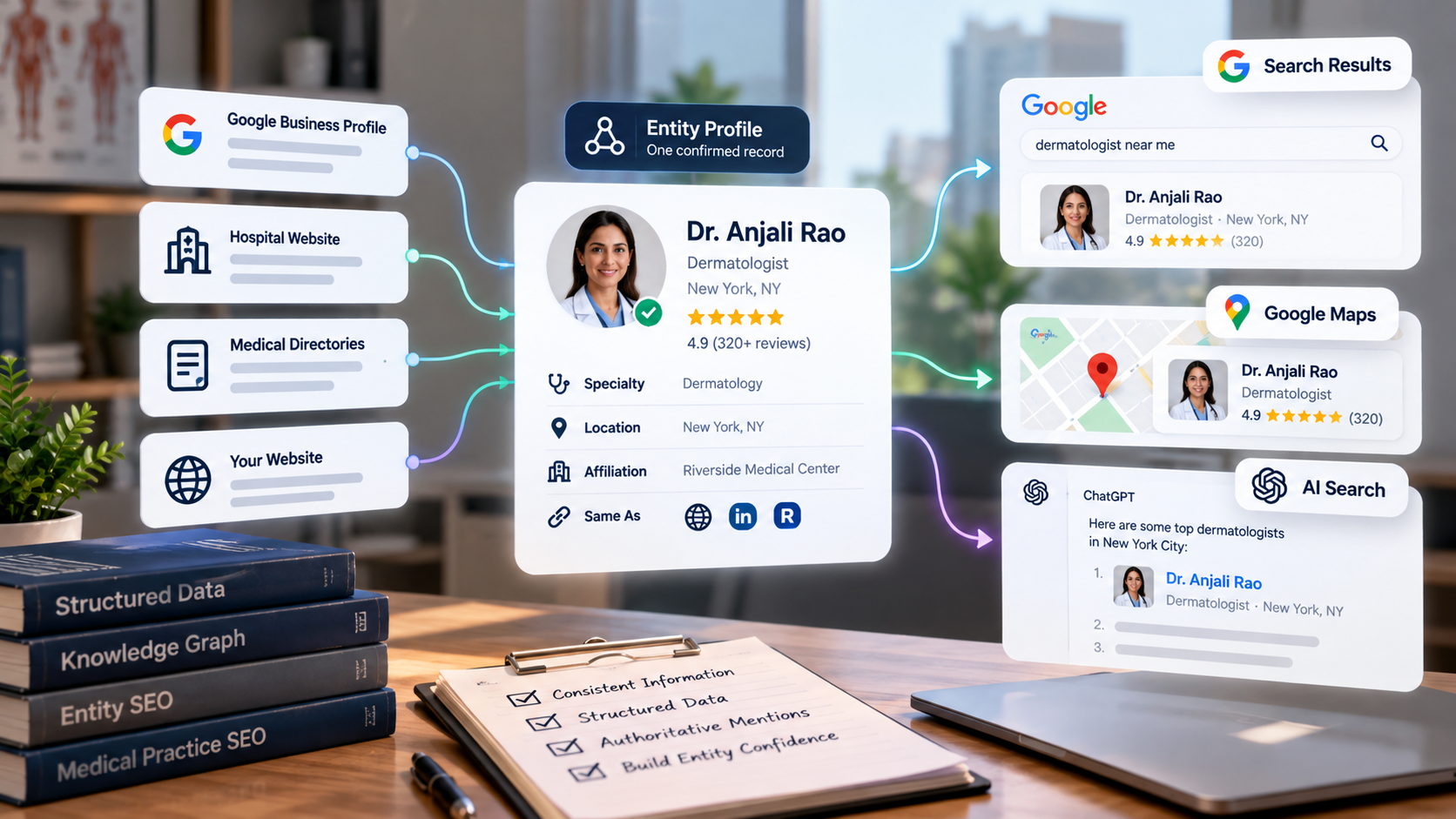
If consistency matters for Google, it matters more for AI. When a patient asks ChatGPT, Gemini, Claude, or Perplexity for a doctor, those tools name one to three practices and lean heavily on whether a practice's details agree across many sources. An AI model resolving conflicting addresses for your clinic tends to skip you and name a competitor whose record is clean and unanimous. The same NAP audit that lifts your Maps prominence is what makes you a confident, nameable answer for an AI assistant.
Run your NAP audit this week
The whole thing fits in 30 minutes plus follow-up.
- Write down your one canonical name, address, and phone.
- Compare Google, your website, Healthgrades, Zocdoc, and Vitals against it, noting every mismatch.
- Search your phone number, address, and old name in quotes to surface listings you forgot.
- Fix the ones you control now, and request corrections on the ones you do not.
If you would rather see every inconsistency at once, the Free Audit at thedocmirror.com checks your name, address, and phone across your Google Business Profile and major directories and flags the conflicts, in about 90 seconds with no signup for the free score.