How to Get ChatGPT, Gemini, and Perplexity to Recommend Your Practice: A Step-by-Step Checklist
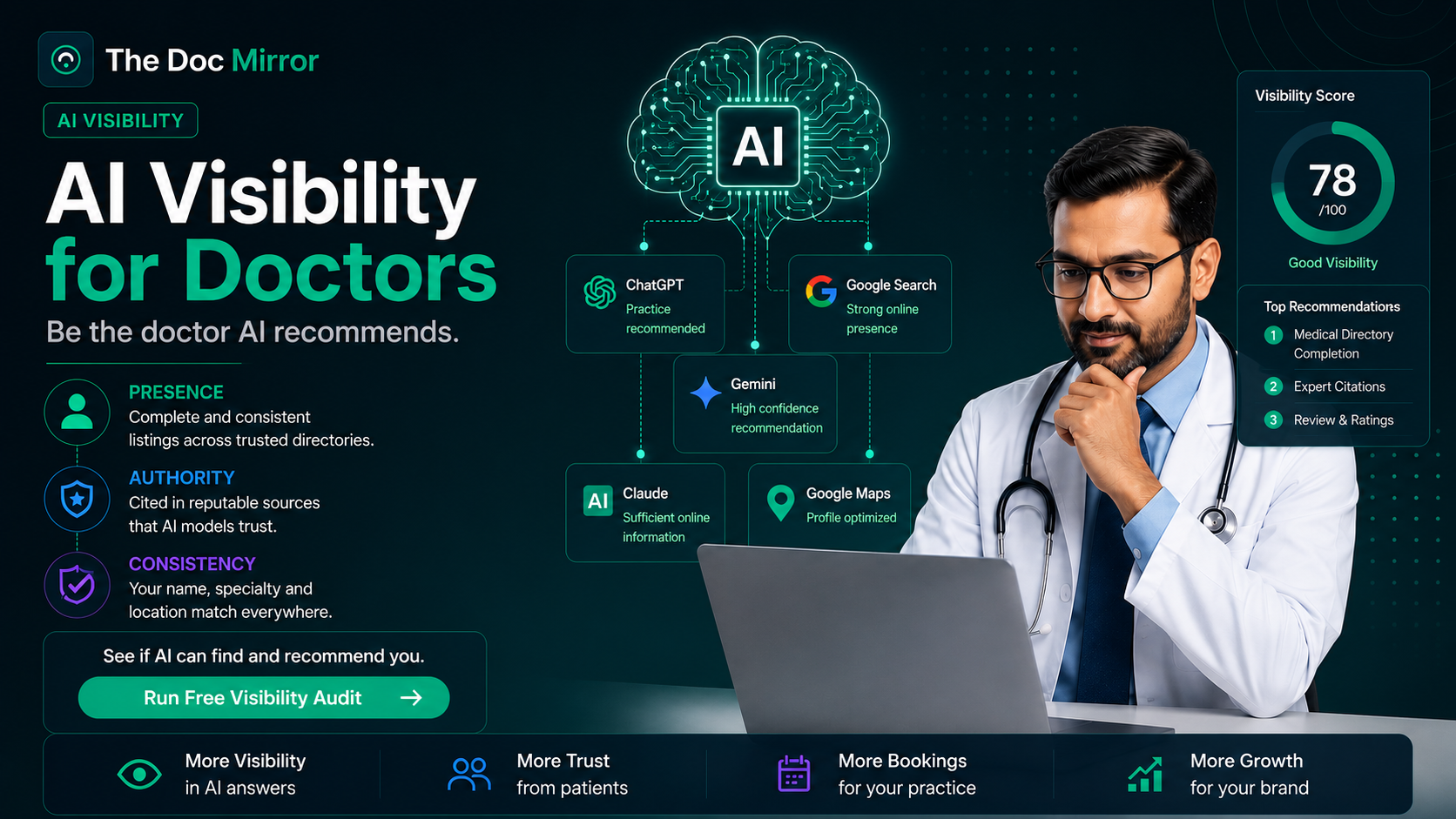
AI assistants recommend doctors based on consistent, verifiable information they can find across the web, not on how good your website looks. This checklist gives you the exact steps to strengthen that information this week. For the deeper explanation of why AI visibility works this way, read the pillar guide first. Here, we skip the theory and go straight to the actions.
Work through these eight steps in order. Each one builds on the last, and together they cover the signals ChatGPT, Gemini, Claude, and Perplexity pull from when a patient asks for a doctor recommendation. Set aside a couple of hours this week to get through steps 1 through 5. The rest can run in the background as ongoing habits.
1. Claim and fully complete your Google Business Profile
Claim your Google Business Profile if you have not already, and fill in every available field, not just the basics.
- Add your specialty, sub-specialties, and the exact procedures you perform.
- List accurate hours, including holiday exceptions.
- Upload real photos of your practice, your team, and your credentials.
- Add your booking link and a direct phone number, not a call center line.
- Select every relevant category the profile allows, not just the primary one.
- Post a short update at least once a month so the profile shows recent activity.
Google Business Profile data feeds directly into Gemini and shows up in AI Overviews. An incomplete profile is one of the fastest ways to get skipped.
2. Make your name, address, and phone number identical everywhere
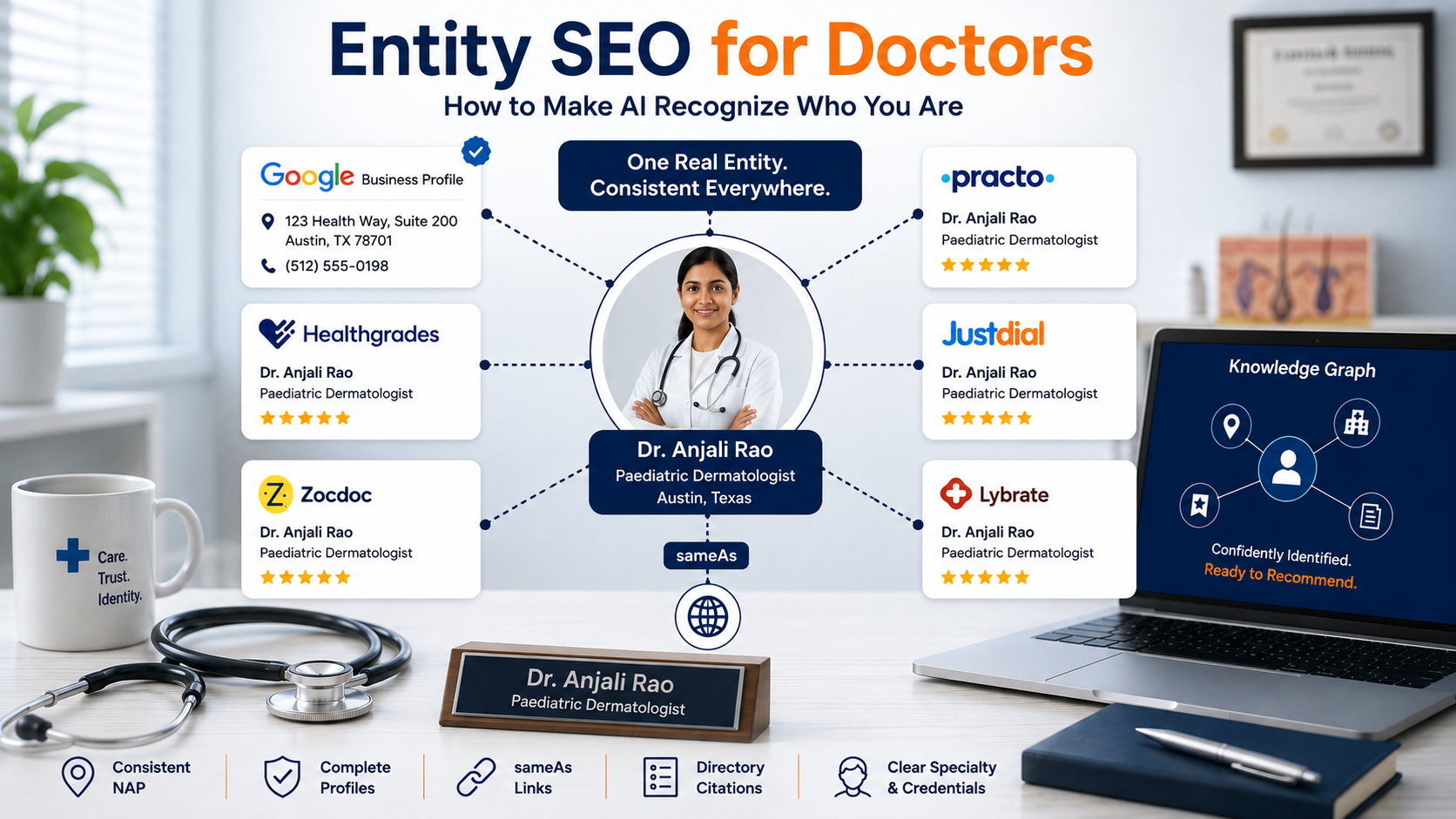
AI assistants cross-check your details across multiple sources before trusting them. If your practice name, address, or phone number differs across your website, directories, and social profiles, that inconsistency reduces confidence in the entity being described.
- Pull up your listings on Google Business Profile, Healthgrades, Vitals, Zocdoc, WebMD, and your own website.
- Write down the exact name, address, and phone number format used on each.
- Fix every mismatch, including abbreviations like "St." versus "Street" or "Dr." versus "Doctor."
- Check suite numbers and floor numbers too, since a dropped "Suite 4B" is enough to create a mismatch.
- Update your old address everywhere if you have moved practices, including listings you may have forgotten existed.
- Recheck quarterly, since directories often auto-update fields without telling you.
3. Strengthen your entity signals
AI systems need to be able to tell your name apart from every other doctor with a similar name in a different city. This is what entity signals do: they connect your name, credentials, practice, and specialty into one clear, unambiguous profile that AI systems can recognize with confidence.
- Use your full legal name consistently across your website, directories, and professional bios.
- State your medical school, residency, board certifications, and years in practice on your bio page.
- Link your professional profiles (your practice site, LinkedIn, hospital affiliation pages) to each other where the platform allows it.
- Keep your specialty description consistent everywhere it appears, word for word if possible.
- Add Physician and MedicalOrganization schema markup to your website. This is standardized code that describes your name, specialty, credentials, and location in a format machines read directly, rather than having to interpret plain text.
- Ask your web developer or agency whether this markup already exists on your site. Many practice websites are missing it entirely.
4. Build a review base that goes beyond star ratings
Reviews shape both what AI assistants say about you and whether they say anything at all. Doctors with 50+ reviews rank significantly higher than those with under 10, and a 4.5+ star rating is the minimum threshold most patients will consider.
- Ask satisfied patients for reviews right after a positive visit, in person or by text.
- Request reviews on Google Business Profile first, then Healthgrades and Zocdoc.
- Respond to every review, positive or negative, in a professional tone.
- Encourage specific detail in reviews (the condition treated, the experience, the outcome) rather than a rating alone, since AI assistants parse review text for context, not just star counts.
- Set a simple weekly target, such as five new review requests, so the base grows steadily instead of in one rushed push.
- Never offer an incentive for a review. It violates most platform policies and can get a listing flagged.
5. Publish a detailed, fact-rich bio page
Your bio page is one of the clearest sources AI assistants can cite directly. A thin "About Dr. Smith" paragraph gives them nothing to work with.
- State your specialty, conditions treated, and procedures performed in plain language.
- Include your education, training, certifications, and any hospital affiliations.
- Add languages spoken, insurance accepted, and age groups treated if relevant.
- Avoid marketing language. Write the page as a factual reference, not a pitch.
6. Get listed accurately on the directories AI assistants actually pull from
ChatGPT, Gemini, Claude, and Perplexity draw on third-party directories and structured data sources, not just your own website.
- Confirm your listing exists and is accurate on Healthgrades, Vitals, WebMD, Zocdoc, and your state medical board's public directory.
- Update any outdated information, especially old addresses or a previous practice name.
- Add your hospital or health system's provider directory page to the list if you have one.
- Check your specialty association's member directory, since these carry high authority.
7. Earn mentions on sites with real authority
A mention on a hospital website, a local news article, or a health system page carries more weight with AI assistants than a mention on a low-authority blog.
- Reach out to your hospital or health system's communications team to confirm your provider page is live and current.
- Offer to comment for local news stories on your specialty, since reporters often need quotable sources.
- Contribute a short answer to a relevant question on a reputable medical Q&A platform, with your name and credentials attached.
- Ask professional associations you belong to whether they publish member spotlights or directories.
- Check whether your medical school or residency program maintains an alumni directory, and confirm your entry is current.
- If you speak at conferences or contribute to continuing education programs, ask the organizer to link your name to your practice in the published materials.
8. Ask the AI assistants directly and track what they say
Once the above steps are in place, test them the way a patient would.
- Ask ChatGPT, Gemini, Claude, and Perplexity, "Who is a good [your specialty] in [your city]?"
- Note whether you appear, what is said about you, and whether any detail is outdated or wrong.
- Repeat the same test monthly, since AI answers shift as sources update.
- Correct any wrong information at the source (your website, your directory listings) rather than trying to argue with the AI assistant directly.
What most people skip
Most doctors do step 1 and stop. They claim their Google Business Profile, call it done, and never touch the other signals.
The step almost everyone skips is consistency checking. A doctor might have excellent reviews and a strong bio page, but a mismatched phone number on one directory quietly undercuts the confidence AI builds in who you are. Set a recurring quarterly reminder to recheck your listings. This single habit catches most of the drift that erodes AI visibility over time.
The second most common gap is treating reviews as a one-time push instead of an ongoing habit. A burst of 20 reviews in one month followed by silence for a year looks different to both patients and AI assistants than a steady trickle over time. Build review requests into your regular patient workflow, not a single campaign.
Finally, most practices never actually test what the AI assistants say about them. They complete the checklist and assume it worked. Step 8 exists specifically to close that loop, so do not skip it.
Putting it together
None of these eight steps is complicated on its own. The difficulty is doing all of them, keeping them consistent, and rechecking them regularly instead of once. That consistency is what separates doctors who show up in AI answers from doctors who do not.
Start with steps 1 through 3 this week, since they form the foundation the rest builds on. Add steps 4 through 6 over the following month, then set a recurring quarterly reminder for step 2, a monthly reminder for step 8, and an ongoing habit around step 4. Treat this less like a one-time project and more like a maintenance routine, the same way you'd treat your continuing education requirements.
If you want to know exactly where your practice stands right now, across ChatGPT, Gemini, Claude, and Perplexity, get a full breakdown of where you stand from The Doc Mirror. Get your full report ($19 / Rs 1,599).
By the The Doc Mirror team
Internal Links
| Target page | Anchor text used | Reason |
|---|---|---|
| /resources/ai-visibility-for-doctors | "why AI visibility works this way" | Sends readers who want the conceptual background (why AI visibility matters, how AI assistants source answers) to the pillar page, so this checklist page can stay strictly tactical without re-explaining the concept itself. |
| /resources/entity-seo-for-doctors | "entity signals" | Introduces the term inside Step 3 and links out to the dedicated entity SEO page for readers who want a deeper explanation of how consistent doctor entities are built, keeping this page's coverage of the topic to the actionable bullets only. |
| /resources/medical-entity-seo | "how AI builds confidence in who you are" | Used in the "what most people skip" section to explain why consistency lapses (e.g., a mismatched phone number) quietly undermine AI trust, pointing to the dedicated medical entity SEO page for the full explanation. |
| https://thedocmirror.com | "a full breakdown of where you stand" | Full Report CTA at the end of the article, directing readers to get their complete AI visibility report ($19 / Rs 1,599) from The Doc Mirror after completing the checklist. |