Your Clinic Shows at the Wrong Spot on Google Maps: How to Fix the Pin
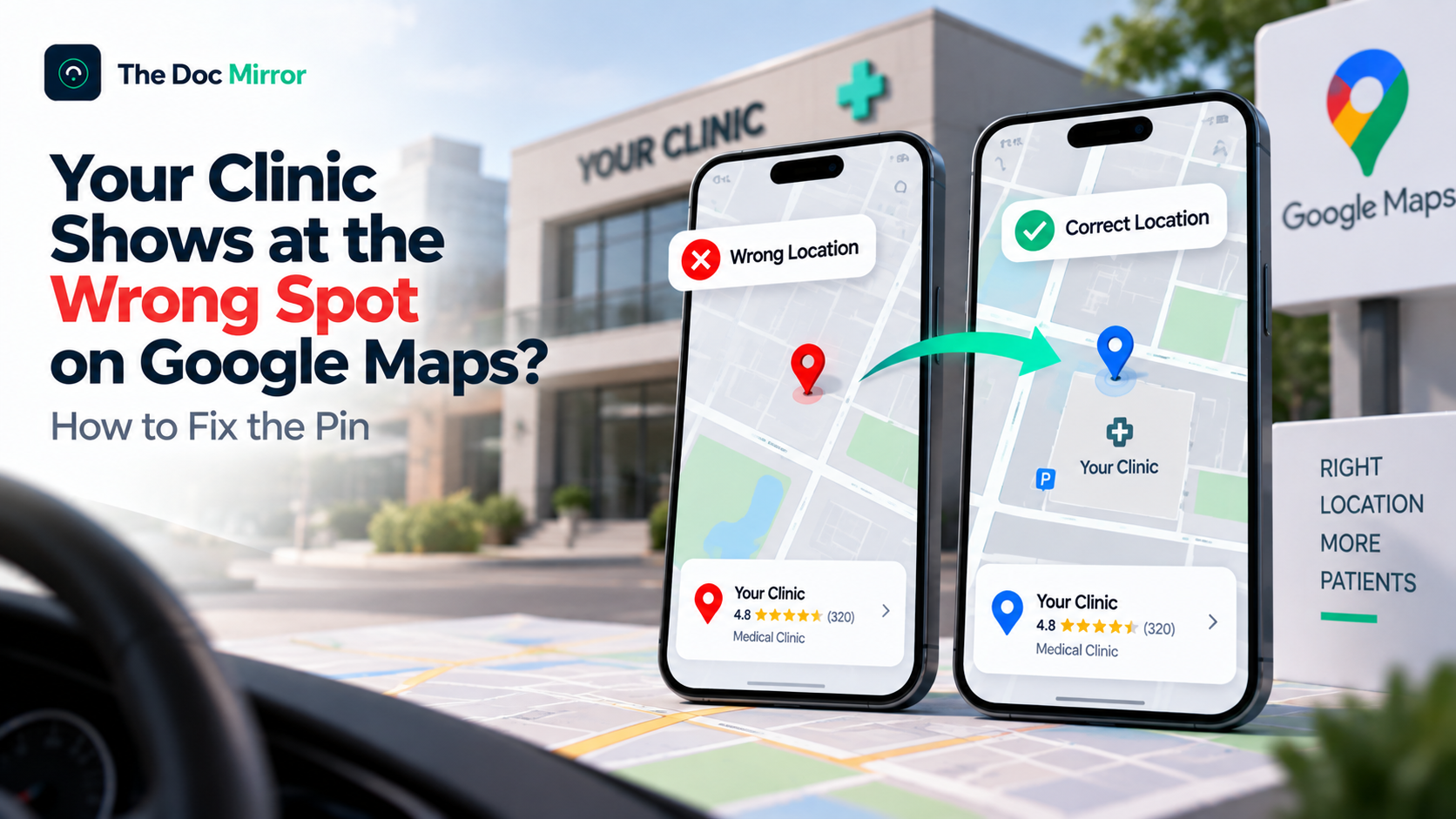
If your clinic appears at the wrong spot on Google Maps, you fix it by moving the map marker to your exact entrance through your Google Business Profile or a suggested edit, and the change usually takes anywhere from a few minutes to a couple of days to appear. A misplaced pin is one of the most damaging and least noticed local-visibility problems a practice can have, because everything else can be perfect while patients are quietly guided to the wrong building, a back alley, or a spot down the road. Some of them give up. This guide explains why the pin lands in the wrong place, how to move it without triggering a suspension, how to confirm the fix held, and how to stop it drifting again. It is written for practices whose address is correct but whose map location is not.
Why the pin and the address are two different things
The first thing to understand is that your street address and your map pin are separate pieces of data, and they can disagree. Your address is the text, for example the building and street. Your pin is the precise geographic coordinate Google drops on the map. A profile can show the correct written address while the pin sits in the wrong place entirely, which is why a patient reads the right address, taps for directions, and is routed somewhere else.
This happens for several ordinary reasons. Google sometimes geocodes an address to the centre of a building complex or a rooftop rather than the entrance patients should use. A clinic inside a larger medical building or mall may inherit the complex's central point instead of its own door. An old pin can linger from a previous tenant or a previous location. And in some cases a pin is moved by someone other than the owner, which is why the accuracy of the marker is worth checking even when nothing obvious has changed.
The consequence is disproportionate to how small the error looks. A pin fifty metres off can send a patient to the wrong entrance of a hospital campus, and a pin on the wrong side of a divided road can add a frustrating detour. Patients experience this as your practice being hard to reach, and some simply choose a clinic that was easier to find. The fix is quick, but only if you know the pin, not just the address, is the thing to correct.
How to move the pin safely
Moving the marker is straightforward, and doing it through the proper channel avoids the suspensions that careless edits can trigger. There are two routes, depending on whether you manage the listing.
If you manage the profile, sign in to the Google account that controls the listing, open the business profile, go to the section for the business information or location, and look for the option to edit the map location or adjust the pin. Drag the marker to the precise point where patients should arrive, which is your actual entrance, not the middle of the building footprint. Save the change and let Google process it.
If you do not yet manage the profile, or want a faster public route, open the listing in Google Maps, choose "Suggest an edit," select the option to fix or move the location, and drag the pin to the correct entrance. In both cases, place the pin exactly where a patient should walk or drive up to, and avoid dropping it in the centre of a large complex when a specific entrance is more accurate. The single most important discipline is precision at the door, because that is the point Google will navigate patients to. If your address text is also wrong, that is a related but distinct fix covered in the clinic address change checklist.
How long it takes and how to confirm it held
After you submit the change, the waiting is the part that unsettles most practices, so it helps to know what normal looks like. Pin edits are typically reviewed and applied within a range from a few minutes to 24 to 48 hours, and consistent listings tend to be approved faster because Google is more confident in the correction.
Confirm the fix from a patient's point of view, not just from your dashboard. Once the change appears live, search your practice on Google Maps from a device that is not signed into your business account, tap for directions as a patient would, and check that the route ends at your actual entrance. Do this on a phone, since most patients navigate on mobile. If the pin is right but directions still feel off, the issue may be the entrance Google associates with the coordinate, which you can refine by nudging the pin slightly toward the correct access point.
If the edit is rejected or silently reverts, do not repeatedly resubmit the same change, which can look manipulative. Check that the rest of your listing is consistent first, because an edit against a profile with conflicting name, address, or phone data is more likely to be questioned. Cleaning up that consistency, using the process in the NAP audit, often clears the path for the pin correction to be accepted.
When the pin keeps drifting or was moved by someone else
Sometimes a corrected pin does not stay corrected, and understanding why saves a lot of frustration. There are two common causes, and they call for different responses.
The first is duplicate listings. If more than one profile exists for your practice, patients may be seeing an old or unmanaged duplicate with its own wrong pin, so correcting one listing does nothing for the copy people actually find. The fix is to identify and merge the duplicates so there is a single authoritative profile, a process covered in how to find and merge duplicate Google listings. For group practices with several doctors at one address, this tangle is especially common and worth auditing deliberately, as described in multiple doctors at one address.
The second cause is edits by others. Google Maps allows public suggested edits, and in the past that opened the door to competitors or bad actors moving a business pin, a problem widely enough recognised to have a name, the map pin moving tactic, documented by BrightLocal. Google reported tightening this vulnerability in early 2025, but the lesson stands: check your pin periodically rather than assuming it stays put. If you find it moved without your action, correct it through your managed profile, which carries more weight than an anonymous public edit, and keep an eye on it afterward.
Why a correct pin matters beyond directions
It is tempting to see the pin as a mere convenience, but its accuracy feeds your wider visibility, so fixing it pays off in more than fewer lost patients.
A correct, stable location is part of the consistent, trustworthy record that local search and AI systems rely on to describe your practice confidently. When your coordinate, address, and the rest of your data all agree, that agreement strengthens the prominence and relevance signals that decide your place in the map pack, the same signals discussed in distance versus prominence. A practice that is literally in the wrong place on the map is sending a small but real signal of unreliability, and correcting it removes that friction.
So the pin is not just about the patient who gets lost today. It is one more piece of the accurate, consistent footprint that makes your practice easy for both people and machines to find and trust. Fixing it is quick, free, and worth checking on a schedule rather than only when a patient complains.
A worked example: the clinic inside a hospital complex
The hardest pin problems happen in shared buildings, and a common scenario shows why. A gynaecologist runs a clinic on the third floor of a multi-specialty hospital building with three street entrances. Her address is correct, but Google has geocoded it to the centre of the building's rooftop, so patients tapping for directions are dropped at the main hospital entrance on the far side, then wander a large campus looking for her.
The fix is not to change the address, which is right, but to move the pin to the specific entrance her patients should use, for example the side entrance nearest the lift to her floor. She drags the marker there through her managed profile, saves, and waits for the change to appear. Now navigation ends at the correct door. She also adds a line to her profile description and, ideally, a photo of that entrance, so patients recognise it on arrival. In a shared complex, precision at the correct entrance matters more than anywhere else, because the default geocode is almost always the building's centre rather than the door that gets a patient to her.
The same logic applies to clinics in malls, office towers, and medical parks. If your practice shares a structure with other businesses, assume the pin needs manual correction to your entrance, and verify it from a patient's phone rather than trusting the automatic placement.
A five-minute pin check to run every quarter
Because pins can drift, be geocoded oddly, or occasionally be moved by others, the practical habit is a short periodic check rather than a one-time fix. It takes about five minutes and catches the problem before patients complain.
On a phone that is not signed into your business account, search your practice name and your specialty plus your area, so you see what a patient sees. Tap for directions and note where the route actually ends, walking through it mentally to your real entrance. While you are there, check that only one listing appears for your practice, since a surprise duplicate is a frequent cause of a reappearing wrong pin. If everything lands correctly and there is a single clean listing, you are done. If not, correct the pin through your managed profile and, if a duplicate has appeared, begin the merge process. Running this once a quarter, and after any building or address change, keeps a small problem from quietly costing you patients for months. It pairs naturally with the periodic consistency check in the NAP audit.
Where to start
A wrong pin is the rare visibility problem that hurts you at the very last step, after a patient has found you, trusted you, and set off to visit. That makes it worth checking even if nothing seems broken. Open your listing on a phone, tap for directions, and see where it actually sends you. If it is not your front door, a two-minute edit fixes it, and a periodic check keeps it fixed.
The Free Audit checks how your practice appears across Google, AI assistants, and 6 directories, scores your findability on the 7 pillars, and shows exactly which gaps to close first. It takes about 90 seconds and needs no signup for the free score.
Run your free audit at thedocmirror.com
By the The Doc Mirror team