Reserve with Google and Online Booking: Turning Your Profile Into a Booking Engine
Adding an online booking link to your Google Business Profile lets a patient go from finding you to booking you in a single tap, and with most patients now preferring to book online and many refusing to call at all, the practices without that link are losing patients they already won. The feature many know as Reserve with Google can place a "Book Online" button right on your profile in Search and Maps, but healthcare has a catch: most medical categories are not eligible for the automated version, so the practical fix for most clinics is a manual appointment link through the same flow. This guide explains what booking from Google actually is, why online booking has become a decision factor rather than a convenience, the healthcare eligibility catch and how to work around it, and where AI-driven booking is heading. It is written for US practices that want their Google profile to do more than be found.
What "book from Google" actually is
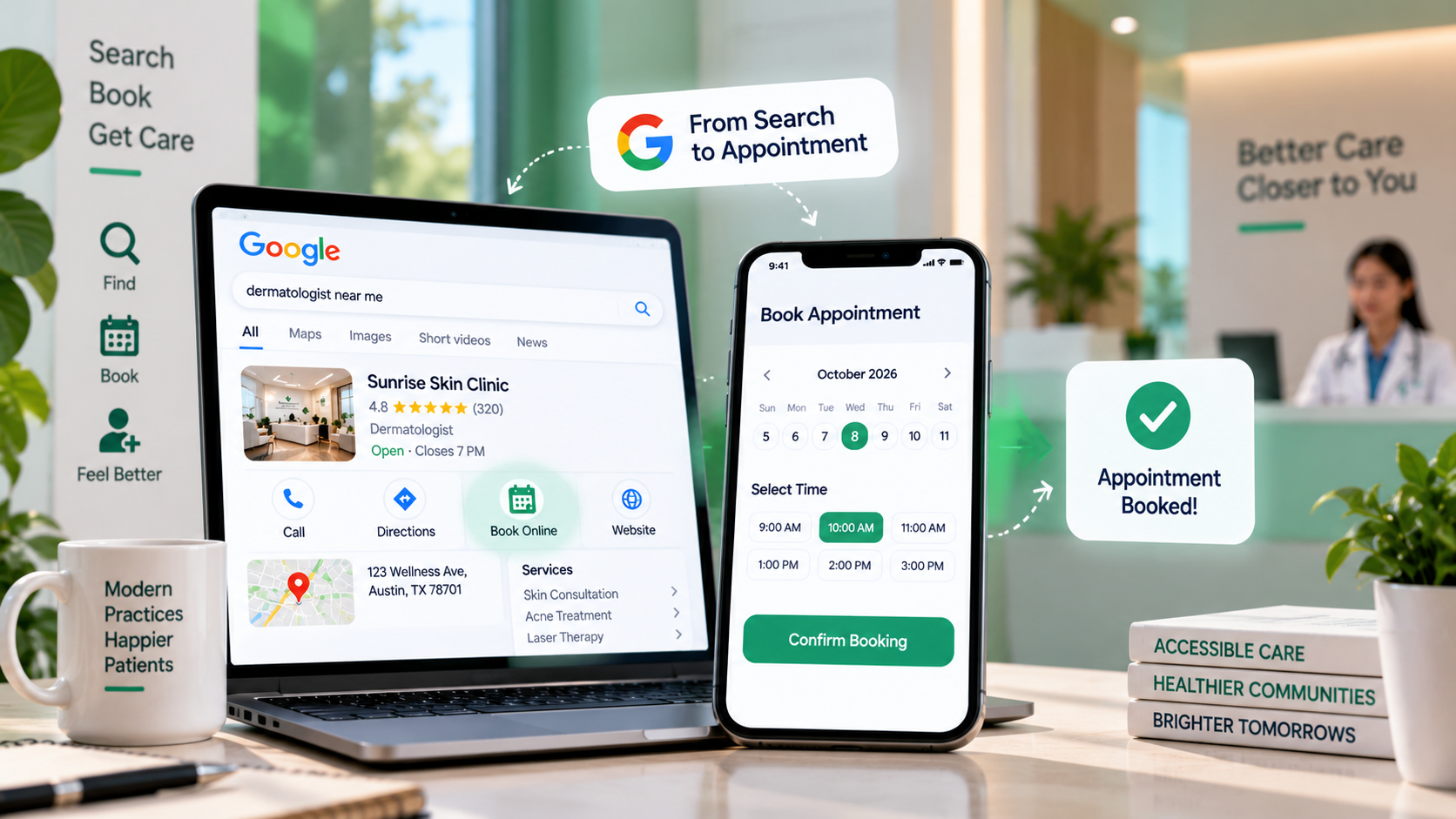
The idea is simple: a patient looking at your Google Business Profile on Search or Maps sees a booking button and schedules an appointment without leaving Google or picking up the phone. Behind that button, Google connects to a supported scheduling partner, so the booking flows into your existing system. Patients see a Book Online or Schedule button on your profile, and for them the whole process is one tap and a few taps more.
It is worth knowing that this has evolved. In 2025 Google shifted the core of Reserve with Google toward its Merchant Center and Business Messages, leaning more on chat-based booking than a single standalone button, and the exact surfaces continue to change. The underlying goal for a practice stays constant regardless of the interface Google uses at any given moment: make it possible to book you directly from the place patients already find you, through whatever mechanism Google currently supports.
So "book from Google" is less one fixed feature than a capability: turning your profile from a listing you read into a place you act. Whether that is an automated partner integration or a manual link, the win is the same, removing the gap between a patient deciding on you and a patient actually booked.
Why online booking is now a decision factor, not a convenience
Booking online has crossed from a nice extra to something patients expect and choose on, and the numbers are decisive. Research finds that 67% of patients prefer to book appointments online, compared with just 22% who choose to call, and that 80% of patients choose a doctor who provides online scheduling. More than half of younger patients say they would switch providers entirely if online booking were not available.
The flip side is the cost of not offering it. Around 28% of patients have moved or stopped seeing a provider because of a poor online experience, and phone-only booking actively frustrates people, with a majority aggravated by hold times. Yet there is a striking gap between demand and supply: while roughly 80% of patients want to schedule from their phone at any hour, only about 54% of providers offer self-scheduling at all. That gap is the opportunity. A practice that makes booking effortless is choosing to capture patients that a phone-only competitor is turning away every evening and weekend when no one is answering the phone.
For an independent practice this reframes booking as part of visibility, not just operations. You can win the search, the profile, and the reviews, and still lose the patient at the final step if the only way to act is a phone call during business hours. The booking link closes that gap at the exact moment of highest intent.
The healthcare catch, and how to add booking anyway
Here is where practices get stuck, and where a little knowledge saves a lot of frustration. Most healthcare categories are not on Google's eligible list for the fully automated Reserve with Google partner integration, so a doctor who goes looking for the seamless partner button often cannot find it. This is not a dead end, it is a redirection.
The workaround is well established: add a manual appointment link through the same booking section of your Business Profile. Instead of an automated partner handling the booking, you point the button at your own scheduling page, whether that is your practice management system's patient portal, your website's booking page, or a scheduling tool you already use. To a patient the result looks the same: a booking action on your Google profile. The steps are to open your Business Profile, find the bookings or appointment-link setting, add the URL of your scheduling page, and save, after which the link appears on your profile. Where an automated partner integration is available for your setup, Google will surface supported scheduling partners to connect, but for most clinics the manual link is the reliable route.
The important mindset is not to give up because the automated version is unavailable. The manual appointment link delivers the same patient benefit, and it is entirely within your control, which is often better than depending on a partner integration that may or may not cover your category.
Booking inside AI: where this is heading
The booking button on your profile is the near term. The direction of travel is booking inside AI assistants, and it is worth understanding because the same groundwork prepares you for both. Google and Zocdoc have partnered so that Zocdoc became the Gemini app's first health appointments partner, letting eligible users search for providers and complete a booking directly within Gemini.
The significance for a practice is that discovery and booking are collapsing into a single step inside AI. A patient may soon ask an assistant for a provider and book one in the same conversation, never visiting a website or a profile page. To be part of that, a practice needs two things it should be building anyway: the consistent, confirmable presence that gets it named by AI in the first place, and a real, connected scheduling capability that a booking integration can plug into. The practices investing now in clean data and genuine online scheduling are the ones that will be bookable when AI booking becomes mainstream, while others are still offering only a phone number.
So the online booking link is not just today's conversion tool. It is the on-ramp to a near future where being bookable inside an AI answer is as important as being named in it, a shift connected to the visibility work in distance versus prominence.
How booking affects ranking, conversion, and your wider visibility
Beyond the obvious conversion win, a booking capability supports your visibility in quieter ways worth understanding, so you can weigh the effort correctly.
The clearest effect is conversion: a booking link turns profile views into appointments, capturing intent at its peak instead of asking a ready patient to call later, which many never do. There is also an engagement effect, because a profile that patients interact with, including booking actions, sends positive engagement signals, and engagement supports local visibility in the same indirect way that photos and reviews do. And there is a completeness effect, because a fully built profile with a working booking path simply looks more legitimate and active than a bare listing, reinforcing the trust that the rest of your presence depends on. These threads come together in a doctor visibility score, which reflects how complete and actionable your presence is, and they pair naturally with getting your insured patients to you cleanly through accurate insurance find-a-doctor directories.
A brief note on scope: this guidance is US-focused, but the underlying principle, removing friction between finding you and booking you, applies anywhere, even where the specific tools and integrations differ. Wherever your patients are, the practice that lets them book in a tap beats the one that makes them call.
A practical setup, and what to point the button at
Because the automated version is usually unavailable to healthcare, the real question is what your booking link should connect to, and the answer depends on what you already run. The goal is a link that lets a patient actually schedule, not just a page that tells them to call.
If you use a practice management system with a patient portal that allows self-scheduling, point the Google booking link there, since that flows appointments straight into your existing calendar. If your website has a working booking page, use that. If you have neither, a dedicated scheduling tool is worth adding, because a link to a page that only shows a phone number defeats the purpose. Whatever you choose, test it as a patient: open your Google profile on a phone, tap the booking link, and confirm you can actually reach a point of scheduling in a few taps. A broken or dead-end booking link is worse than none, because it raises the expectation of easy booking and then frustrates it.
One more practical point: keep the booking link working after you set it. Portals get migrated, URLs change, and a link that worked last year can quietly break. Add a check of your booking link to the same periodic review you use for your listings and your map pin, so the highest-intent action on your profile never leads nowhere. This is the kind of completeness a doctor visibility score rewards and that a periodic self-audit is built to catch.
Where to start
You can do everything else right, rank well, look great, collect reviews, and still lose the patient at the last inch because the only way to book you is a phone call they will not make. Most patients now expect to book online, many refuse to call, and only about half of providers offer it, which makes a booking link one of the highest-return, lowest-effort moves available. If the automated version is not open to your category, add a manual appointment link. Either way, let patients act the moment they decide.
The Free Audit checks how complete and actionable your Google presence is, alongside your standing across AI assistants and 6 directories, scores you on the 7 pillars, and shows exactly which gaps to close first. It takes about 90 seconds and needs no signup for the free score.
Run your free audit at thedocmirror.com
By the The Doc Mirror team