Google Business Profile Video Verification for Doctors: What to Record and Common Rejections
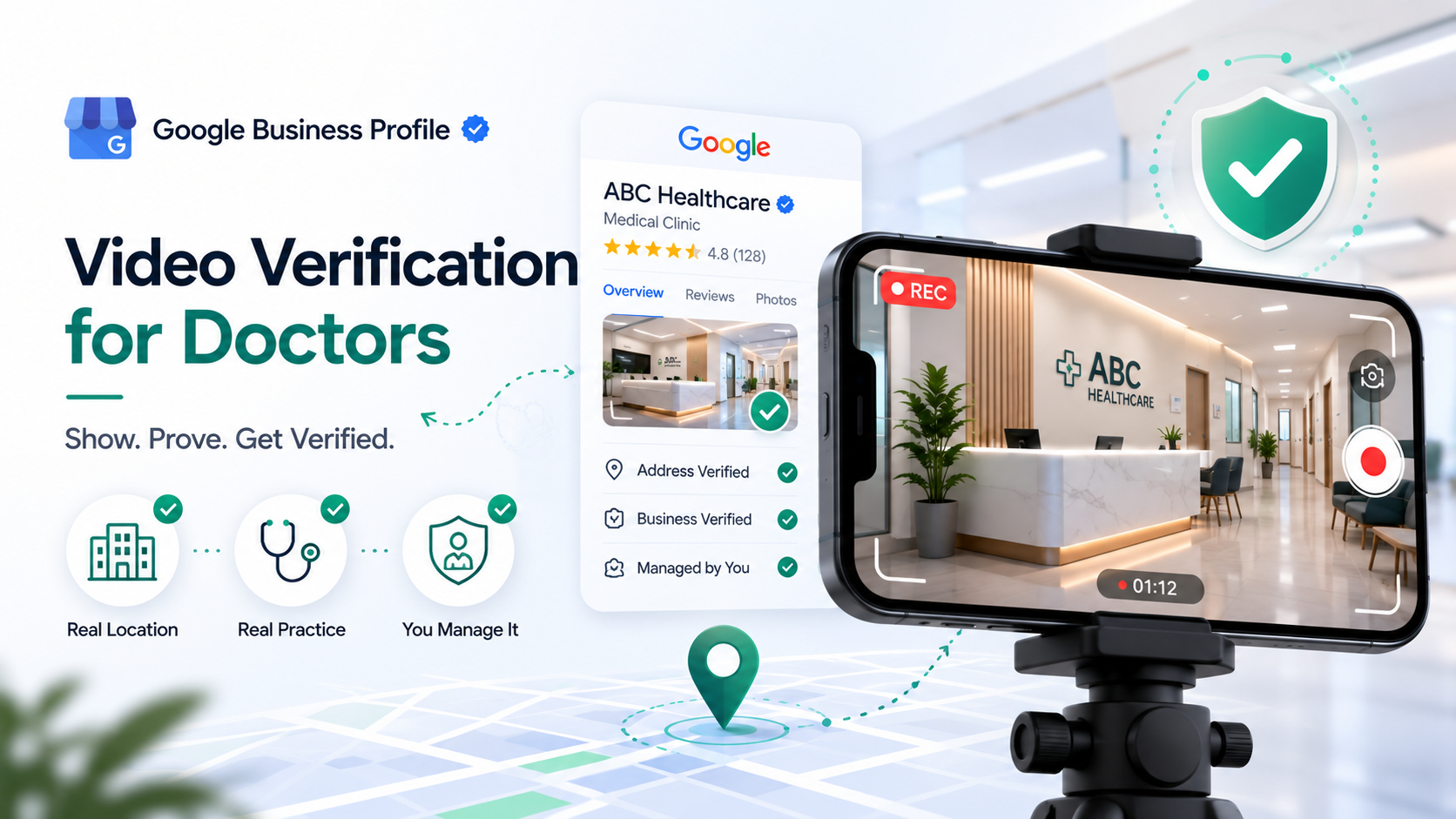
Google Business Profile video verification asks you to record one continuous, unedited video that proves three things: that your practice exists at the address you listed, that it is a real medical business, and that you personally manage it. For doctors, Google leans on this method more than on the old postcard code, because a health practice sits in a category Google scrutinizes closely. Get the video right and your profile is usually reviewed within a few business days; get it wrong and an unverified profile keeps underperforming, shown far less often on Maps no matter how complete the rest of it is. This guide covers exactly what to film, in what order, and the specific reasons doctor verifications get rejected.
Verification is not optional polish. It is the gate. Until your profile is verified, Google will not fully trust or fully display it, so nothing else you do to the listing, categories, reviews, photos, can pay off. That makes passing verification the first real step in local visibility, ahead of every ranking tactic.
What video verification actually is
Video verification is Google confirming, through a short recording, that the person managing the profile represents a genuine business at the stated location. You start it from your Business Profile dashboard, and Google gives you one of two paths: record live through the prompt on your phone, or upload a single continuous clip. Either way the video must be one unbroken take. You cannot stitch clips together, add captions, or edit it, because the point is to show a real, connected walk-through that a fabricated listing could not produce.
Google reviews the footage manually or through automated checks, and the profile stays unverified until that review clears. This is different from a listing that is verified but ranking low, which is a separate problem covered in why your clinic doesn't show up when patients search nearby. Here the profile simply is not trusted yet.
The three things your video must prove
Every successful verification video answers three questions for the reviewer. Plan your walk-through so it hits all three in one continuous shot.
- The location is real and matches your address. Film the outside first: your street signage, the building number, the entrance, and the immediate surroundings such as the parking lot or neighboring storefronts. This ties the video to a physical place Google can cross-reference.
- The business is what you claimed. Show your practice signage with the business name, then walk inside and film your reception, waiting area, consultation rooms, and any branded material such as a name badge, letterhead, or signage on the wall. The name on screen should match the name on the profile exactly.
- You manage this location. Show something only a manager would have access to: unlocking the front door, entering a staff-only area, opening the appointment system on a reception screen, or accessing equipment and supplies. This is the step most people skip, and it is the one that most often decides the outcome.
A good clip is usually 30 to 120 seconds. Longer is fine if the walk-through is natural. Rushed and under 20 seconds is where problems start.
What to record, step by step
Film in daylight when your signage is legible, and move slowly. A practical sequence:
- Start outside at the street or parking area. Say nothing scripted; just capture the building number and any monument or door signage.
- Walk to the entrance and film the door and practice name.
- Enter and pan across the reception desk and waiting area.
- Move to a consultation room or clinical area, showing it is set up for patient care.
- Finish on proof of management: open the scheduling software on a screen, access a staff-only room, or show mail or a utility bill addressed to the practice at that address.
Keep the phone steady, keep the take unbroken, and do not stop and restart. If you fumble, start the whole clip again rather than editing pieces together.
Why doctor verifications get rejected
Medical practices fail video verification for a recognizable set of reasons. Avoiding these is most of the battle.
- No proof of management. The video shows a nice office but never demonstrates that you control it. Reviewers cannot tell a real manager from someone filming a lobby. Always include the access step.
- Signage does not match the profile name. Your profile says "Austin Cardiology Associates" but the door reads "Dr. Smith" or a former practice name. A mismatch reads as a different business. Fix the profile name or update the signage before filming.
- Address cannot be confirmed on camera. A suite inside a large medical building with no visible practice signage gives the reviewer nothing to tie to your address. Film any lobby directory listing your suite, plus your own door plate.
- The clip is edited or discontinuous. Any cut, caption, or stitched segment can trigger rejection. One take only.
- Home-based or address-hidden practices filming a residence. If you set up as a service-area business, or you see patients somewhere other than the listed address, the video will not match, and this crosses into the storefront versus service-area problem. Film the location that matches your profile type.
- Empty or clearly non-operational space. A room with no equipment, no staff, and no patient-care setup looks staged. Show the practice as it actually runs.
What most doctors get wrong about video verification
Most doctors treat it as a formality and film a quick pan of the waiting room. Verification is not asking "is this a pleasant office?" It is asking "can this person prove they run a real practice here?" The single most common miss is skipping the management-proof step, and it is the easiest to fix: end the video by unlocking a door, opening your booking system, or showing practice mail. The second most common miss is a name mismatch between the door and the profile, which is worth checking before you press record, not after a rejection.
If your verification is rejected
A rejection is not a suspension, and it is not the end. You can request verification again, usually after correcting whatever failed. Before you refilm:
- Re-read the reason Google gives, if any, in your dashboard.
- Fix the underlying issue first, most often a name mismatch or missing proof of management.
- Refilm the whole walk-through with all three proofs in one take.
- If a second video attempt fails, Google may offer another method or ask for additional evidence such as a utility bill, business registration, or your state license. Have these ready with the practice name and address matching the profile exactly.
Do not create a second profile for the same practice to get around a failed verification. Duplicate profiles cause their own visibility problems, covered in how to find and merge duplicate Google listings.
A note on AI: the same profile feeds AI answers
A profile stuck unverified is usually missing from AI answers too. When a patient asks ChatGPT, Gemini, Claude, or Perplexity for a doctor, those tools name one to three practices using directory data, schema, and citations, and Google's own Gemini draws directly on Business Profile data. A verified, trusted profile is part of the same foundation that lets an AI assistant find and name your clinic, so passing verification helps both channels at once.
How to pass verification this week
You can prepare and record in under an hour.
- Open your Business Profile dashboard and confirm the profile name matches your real-world signage exactly. Fix it if not.
- Walk your space once without the camera and note where you will show the outside, the signage, the clinical area, and your proof of management.
- Record one continuous clip in daylight covering all three proofs, and submit it.
- Have a utility bill, business registration, and your state license ready in case Google asks for more.
Verification clears the way, but it is only the first pillar. If you want the full picture of where your practice stands, the Free Audit at thedocmirror.com checks your Google Business Profile pillar and compares you to your top local competitors in about 90 seconds, with no signup for the free score.